Platform Features
Dashboard
Screenshot: Teacher Dashboard
Your central command center for managing your school. The dashboard gives you an overview the moment you log in — school announcements, your student and group counts, the week's schedule and your upcoming reminders.
- Upcoming reminders — See your next personal reminders and open the full list in one click.
- Quick stats at a glance — See how many students and groups your school has, with a link straight to each list.
- Upcoming schedule — See today's and this week's events and classes right from the dashboard.
- Announcements preview — Read current announcements on your dashboard, with pinned ones shown first.
- Onboarding guide — New to the platform? A step-by-step checklist walks you through setting up your school.
Pinned announcements stay at the top of the dashboard, so the most important news is the first thing everyone sees.
Students & Groups
Screenshot: Students & Groups
Manage your entire student body from one place. Add students individually or in bulk, organize them into groups and classes, and keep all their information up to date.
- Easy student enrollment — Add students with a first and last name. A username is created automatically and the school's default password is set.
- Printable login cards — Print cards with each student's username and password, plus a QR code that opens the sign-in page.
- Flexible group management — Create groups for classes, subjects, extracurriculars, or any custom grouping. Students can belong to multiple groups.
- Class management — Dedicated class view for organizing students by their primary class or homeroom.
- Spreadsheet import — Import students from a spreadsheet, check a preview before saving, and print login cards for everyone at once.
- Student limits by plan — View your current student count vs. plan limit, with easy upgrade path when you need more.
- Parent linking — Create and link parent accounts directly from the student form for seamless family connections.
Login cards let students start on day one — no email address or account setup needed.
Parents
Screenshot: Parents Management
Create parent accounts and connect them to their children for a complete home-school communication bridge. Parents get their own portal to track their child's progress.
- Quick parent creation — Add parent accounts with name and contact details, linked to one or more students.
- Printable login cards — Generate login cards for parents just like for students, making onboarding effortless.
- Multi-child support — Parents with multiple children in your school see all their kids under one account.
- Automatic access — Once linked, parents automatically see their child's assignments, grades, schedule, and announcements.
- Contact directory — Keep parent phone numbers and emails organized for easy communication.
Once a parent is linked to a student, they follow assignments, the schedule and announcements from their own account.
Announcements
Screenshot: Announcements
Share important news, updates, and reminders with your whole school, or only with students, teachers or parents. Announcements appear prominently on student and parent dashboards so nothing gets missed.
- Targeted announcements — Send to everyone, or only to students, teachers or parents.
- Rich text content — Format your announcements with bold, italic, and links for clear, professional communication.
- Instant visibility — Announcements appear immediately on student and parent dashboards upon publishing.
- Pinning and expiry — Pin key announcements to the top of dashboards and set an expiry date so old news drops off.
- Edit and manage — Update or remove announcements at any time if information changes.
Choose the audience — everyone, or only students, teachers or parents — and the announcement appears on their dashboards.
Schedule
Screenshot: Schedule
Plan and organize your school's calendar with an intuitive scheduling system. Create recurring classes, one-time events, and share the schedule with students and parents automatically.
- Interactive calendar view — See your schedule at a glance in week and month views, or as a filterable list.
- Recurring events — Set up weekly class schedules once and they repeat automatically throughout the term.
- Event creation — Add classes, meetings, exams, and special events with full details and group assignments.
- Shared with families — Events automatically appear on student and parent calendars — no separate notifications needed.
- Lesson tracking — Click on any scheduled class to record attendance, student signals, and lesson notes.
- Timetable import — Import an existing timetable from a spreadsheet instead of entering every class by hand.
The lesson sidebar lets you take attendance, note student behavior, and add teaching notes — all during or right after class.
Resources
Screenshot: Resources
Build a digital resource library for your students. Upload documents, presentations, worksheets, and other learning materials, and every student and parent in your school can open them.
- File uploads — Upload PDFs, Word documents, images, presentations, and more from your computer.
- School-wide sharing — Every resource you add is available to all students and parents in your school.
- Organized library — All uploaded resources are listed in one place, sorted by title.
- Student access — Students can view and download shared resources anytime from their own portal.
- Edit and manage — Update resource details or replace files. Remove resources that are no longer needed.
Give each resource a clear title and short description — the library is sorted by title, so good names make materials easy to find.
Assignments & Submissions
Screenshot: Assignments & Submissions
Create, distribute, and grade assignments all in one place. Students submit work digitally, and teachers can review, comment, and grade — with optional AI help for scoring and feedback.
- Create rich assignments — Add descriptions, attach files, set due dates, and assign to one group or to the whole school.
- Digital submissions — Students submit work directly through the platform with file attachments and text responses.
- AI-assisted grading — Let AI score ungraded submissions and add short feedback, then adjust any grade yourself.
- Inline comments — Leave detailed feedback on individual submissions with threaded comment discussions.
- Progress tracking — See every submission for an assignment with its status and the date it was handed in.
- Status management — Mark each submission as approved or needing revision, with a grade and written feedback.
- AI question generation — Generate quiz questions from a topic you type, choosing how many, the difficulty and the age group.
- Comment and grading alerts — Students and parents are notified of new comments and grading decisions, and teachers of new comments.
AI-assisted grading scores open answers and writes short feedback for each submission — you can change any grade afterwards.
Conversations
Screenshot: Conversations
Stay connected with students and parents through a built-in messaging system. Start private conversations, respond to inquiries, and keep all school communication in one secure place.
- Direct messaging — Start one-on-one conversations with any student, or a group chat with any of your groups and classes.
- Full message history — Each conversation keeps all of its messages in one place, in order.
- Live updates and alerts — Open conversations update live, and new messages appear in your notifications.
- Unread indicators — Easily spot conversations that need your attention with unread message badges.
- Find people quickly — Search by name to open an existing conversation or start a new one.
- Secure and private — All conversations stay inside the platform instead of personal email or phone apps.
Built-in messaging means no more scattered emails or WhatsApp groups — all school conversations stay in one place.
Reminders
Screenshot: Reminders
Stay organized with personal task management built right into your teaching workflow. Set reminders for grading deadlines, parent meetings, report cards, and anything else you need to remember.
- Quick creation — Add a reminder in seconds with a title, optional description, and due date.
- Status tracking — Mark reminders as complete when done, keeping a clear record of what's been accomplished.
- Filter views — Switch between all, pending, and completed reminders to focus on what matters now.
- Due date alerts — Set dates to keep yourself on track with upcoming deadlines and responsibilities.
- Personal workspace — Reminders are private to your account — only you see your personal task list.
Billing & Invoicing
Screenshot: Billing & Invoicing
Manage your school's finances with integrated fee plans, automatic invoice generation, and payment tracking. Customize invoices with your school's branding and send professional payment documents to parents.
- Fee plan creation — Define fee plans with custom names and amounts, billed once or on a recurring monthly cycle you choose.
- Student assignment — Apply a fee plan to every student, or pick exactly which students it covers.
- Automatic invoice generation — Invoices are generated based on your fee plans, saving you from manual creation each month.
- Payment tracking — Mark invoices as paid or unpaid, and see payment status at a glance across all students.
- Monthly adjustments — Apply discounts, additional charges, or corrections to individual invoices as needed.
- PDF export — Download professional PDF invoices customized with your school logo, address, and payment details.
- Custom branding — Upload your school logo, add payment instructions, and include bank details on all invoices.
- Bulk operations — Mark multiple invoices as paid or email them at once, and filter by student, status, fee plan or month.
Fee plans create invoices on schedule, and parents get an automatic email reminder before each one is due.
Tests & Career Explorer
Screenshot: Tests & Career Explorer
Help students discover their strengths and future career paths with built-in assessments. Students complete personality and interest tests, and the platform matches them with suitable career options complete with detailed reports.
- Personality assessments — Students complete a personality questionnaire that identifies their core traits and preferences.
- Interest mapping — Interest assessments reveal subjects and activities students are most drawn to and passionate about.
- Career matching — Interest and personality results are scored against each career and ranked by match percentage.
- Detailed career profiles — Each matched career includes a description, required education, typical tasks, recommended subjects and salary ranges.
- PDF reports — Download comprehensive PDF reports for each student's test results to share with parents or keep in records.
- Teacher overview — See which students have completed their tests and view results across your entire student body.
- Category filtering — Students can filter career matches by industry or field of interest to focus their exploration.
Career matches make a good starting point for one-to-one conversations with students and their parents.
School Setup
Screenshot: School Setup
Configure your school's profile, manage teacher accounts, customize default settings, and handle your subscription — all from one central administration hub. Available to school administrators.
- School profile — Set your school name, address, country and timezone, and upload a logo for your invoices.
- Teacher management — Add, edit, and remove teacher accounts. Each teacher gets their own login with access to their groups.
- Default settings — Configure default student passwords, language preferences, and currency for the entire school.
- Subscription management — View your current plan, upgrade for more features or student capacity, and manage billing.
- Usage overview — See your teacher and student counts against your plan limits.
- Role-based access — Only school administrators can open School Setup; other teachers can't change school-wide settings.
The onboarding checklist walks you through each setup step and ticks items off automatically as you complete them.
Dashboard
Screenshot: Student Dashboard
Your personal hub for staying on top of everything at school. See announcements, upcoming events, and your reminders — all in one place the moment you log in.
- Announcements feed — Read the latest news and updates from your teachers, with the most recent shown first.
- Upcoming events — See what's coming up on your schedule at a quick glance without opening the calendar.
- Reminders widget — See your next upcoming reminders and open the full list in one click.
- Quick navigation — The sidebar menu takes you to assignments, schedule, or resources in one click.
Check your dashboard every morning to start the day knowing exactly what's expected of you.
Schedule
Screenshot: Student Schedule
View your class timetable and upcoming lessons in one monthly calendar. Move between months to see what's coming up and plan your time.
- Interactive calendar — Browse your schedule with a visual calendar that shows all events and classes.
- Monthly view — See the whole month at once, with each lesson's start and end time.
- Your lessons only — The calendar shows lessons for your own groups and classes, plus whole-school entries.
- Navigation controls — Jump to today, or move forward and backward through weeks and months.
Look at the month ahead to plan your study sessions around your class schedule.
Resources
Screenshot: Student Resources
Access all learning materials shared by your teachers in one library. Browse and download worksheets, presentations, study guides, and other educational files.
- One library — All materials your school shares are collected on a single page.
- Easy downloads — Download any resource to your device for offline studying with one click.
- File details — See the title, a short description and the date added for every resource at a glance.
- Always available — Access shared materials anytime, anywhere — great for homework and revision.
Download important resources early so you have them available even without an internet connection.
Assignments & Submissions
Screenshot: Student Assignments & Submissions
View all your assigned homework and tasks, submit your work digitally, and receive feedback and grades from your teachers. Track your progress and stay on top of deadlines.
- Assignment list — See all current assignments with their title, description, due date, and submission status.
- Digital submission — Submit your work as text responses or file attachments directly through the platform.
- Status tracking — Know exactly where each assignment stands: not started, submitted, approved, or needs revision.
- Teacher feedback — Read your teacher's comments, grades, and feedback on your submissions.
- Resubmission — If your teacher requests changes, update and resubmit your work before the deadline.
- Comment threads — Communicate with your teacher about specific assignments through inline comments.
- Overdue alerts — Get clear visual indicators when assignments are approaching or past their due date.
Submit your work early when possible — teachers can provide feedback sooner, giving you more time to improve.
Tests & Career Explorer
Screenshot: Student Tests & Career Explorer
Discover your personality type, interests, and matching career paths through interactive assessments. Complete tests at your own pace and explore detailed career profiles matched to your unique profile.
- Personality test — Answer questions about your preferences and behaviors to discover your personality type.
- Interests assessment — Rate activities and subjects to map out your interest areas and passions.
- Instant results — View detailed charts and descriptions of your results immediately after completing each test.
- Career matching — Get personalized career recommendations ranked by how well they match your profile.
- Career details — Explore each career with descriptions, education requirements, typical tasks, and salary information.
- PDF reports — Download the results of each test as a PDF report.
- Retake anytime — Take tests again whenever you want — your results update automatically.
Complete both the Personality Test and Interests Test for the most accurate career recommendations.
Reminders
Screenshot: Student Reminders
Keep track of personal tasks, study sessions, and important deadlines with your own private reminder system. Stay organized throughout the school year.
- Quick add — Create reminders in seconds with a title, an optional note and a reminder date.
- Track completion — Mark reminders as done when finished, keeping a clear record of your accomplishments.
- Filter views — Switch between all, pending, and completed reminders to focus on what's current.
- Personal and private — Your reminders are visible only to you — teachers and parents cannot see them.
- Stay organized — Use reminders for study plans, project deadlines, or personal goals alongside school assignments.
Conversations
Screenshot: Student Conversations
Communicate directly with your teachers through a built-in messaging system. Ask questions, get help, and receive updates without needing email or external apps.
- Message teachers — Start conversations with any of your teachers directly from the platform.
- Full message history — Every conversation keeps all its messages in one place, in order.
- Message alerts — New messages from teachers appear in your notifications, and open chats update live.
- Unread badges — See at a glance which conversations have new messages waiting for you.
- Safe communication — All messages stay within the school platform, ensuring a safe environment.
Don't hesitate to reach out to your teachers when you need help — that's what the messaging system is for!
Dashboard
Screenshot: Parent Dashboard
Stay informed about your child's school life with a parent dashboard. See announcements, upcoming events and your reminders at a glance, with progress, assignments and billing one click away.
- Child progress — A separate progress page shows each child's attendance, lesson signals and teacher reports.
- Announcements — Read the announcements your school publishes for parents.
- Upcoming events — View what's coming up on your child's school calendar.
- Quick access — The sidebar menu takes you to assignments, schedule, or billing in one click.
- Multi-child support — Assignments, billing and progress pages show each of your children separately.
Check the dashboard regularly to stay connected with your child's educational journey.
Schedule
Screenshot: Parent Schedule
View your child's class timetable in a monthly calendar. See every lesson and school entry so you can plan around your child's school day.
- Full calendar view — See your child's schedule in a monthly calendar and move forward or back by month.
- Class timetable — View all recurring classes and their times for easy weekly planning.
- Special entries — Exams or trips your school adds to the schedule appear alongside regular classes.
- Event times — Each entry shows its title with its start and end time on the calendar.
- Family planning — Use the schedule to coordinate family activities around school commitments.
Look over the month ahead to plan after-school activities and family time around your child's class schedule.
Resources & Assignments
Screenshot: Parent Resources & Assignments
Monitor your child's academic work and access all shared learning materials. See what assignments have been given, track submission status, view grades, and download educational resources.
- Assignment tracking — See all assignments given to your child with due dates and current status.
- Grade visibility — View your child's grades and teacher feedback on completed assignments.
- Submission status — Know whether your child has submitted work, is pending, or has revisions needed.
- Resource access — Download the same learning materials shared with your child for review or to help at home.
- Comment threads — Read teacher comments and feedback on your child's work.
- Progress overview — See your child's assignments grouped as Not Started, Submitted and Completed, with a count for each.
Look through your child's assignments together to see what's due and what feedback teachers have left.
Billing & Payments
Screenshot: Parent Billing & Payments
View and manage all school-related invoices and payments. Track payment status, view billing history, and stay on top of upcoming fees — all from your parent portal.
- Invoice overview — See all invoices generated for your child with amounts, due dates, and payment status.
- Payment status — Clearly see which invoices are paid, unpaid, or overdue at a glance.
- Billing history — Access a complete history of past payments and invoices for your records.
- Invoices by email — Invoices your school emails you arrive with the PDF attached for your records.
- Fee plan details — Each invoice shows which fee plan it belongs to, with its amount and due date.
Keep the PDF invoices your school emails you — they're handy for personal budgeting and records.
Tests & Career Explorer
Screenshot: Parent Tests & Career Explorer
View your child's personality and interest assessment results and explore career paths that match their unique profile. Support your child's future planning with data-driven insights.
- Test results — View detailed personality and interest assessment results for your child.
- Career matches — Browse career recommendations based on your child's test results.
- Match percentages — See how well each career aligns with your child's personality and interests.
- Career details — Explore descriptions, education requirements, and salary information for each career.
- PDF reports — Download comprehensive reports to discuss with your child or school counselor.
Use the career matches as a starting point for discussions with your child about their future goals and interests.
Absence Notices
Screenshot: Absence Notices
Submit absence notifications to your child's school directly through the platform. Your child's teachers are notified, and you keep a clear record of all absence communications.
- Quick submission — Submit an absence notice in seconds by selecting the date and providing a reason.
- Teachers notified — Your child's teachers get a notification as soon as you submit a notice.
- Absence history — Maintain a complete record of all submitted absence notices for your reference.
- Easy management — Cancel an upcoming absence notice if plans change.
Submitting absence notices through the platform ensures teachers are informed immediately and your communication is documented.
Conversations
Screenshot: Parent Conversations
Communicate directly with your child's teachers through secure in-platform messaging. Ask about progress, discuss concerns, and stay in the loop without needing personal contact details.
- Direct teacher messaging — Start conversations with any of your child's teachers.
- Full message history — Every conversation keeps all its messages in one place, in order.
- Message alerts — Teacher replies appear in your notifications, and open chats update live.
- Unread indicators — Quickly spot new messages with unread badges.
- Professional and secure — All communication stays within the school platform for privacy and accountability.
Stay in touch with your child's teachers — reach out whenever you have questions.
School website
Give your school a website that updates itself from Edunation, with contact and trial-lesson forms, your own domain and up to 19 languages.
See how it works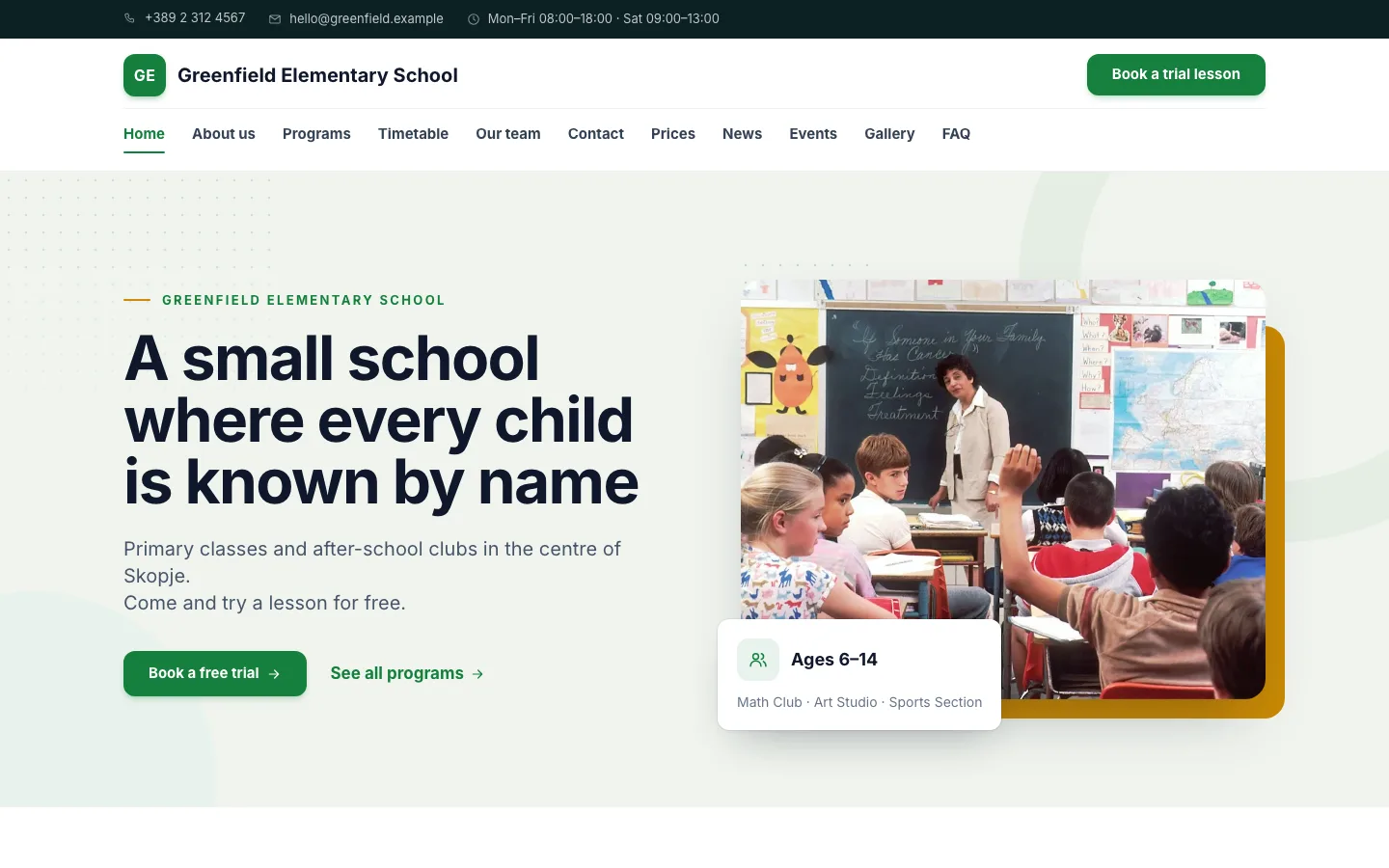
Ready to get started?
Try Edunation free for 14 days. No credit card required.