School Billing Software That Helps You Track Every Tuition Payment
Create recurring invoices, record cash or bank-transfer payments, and see which families still owe — without spreadsheets.
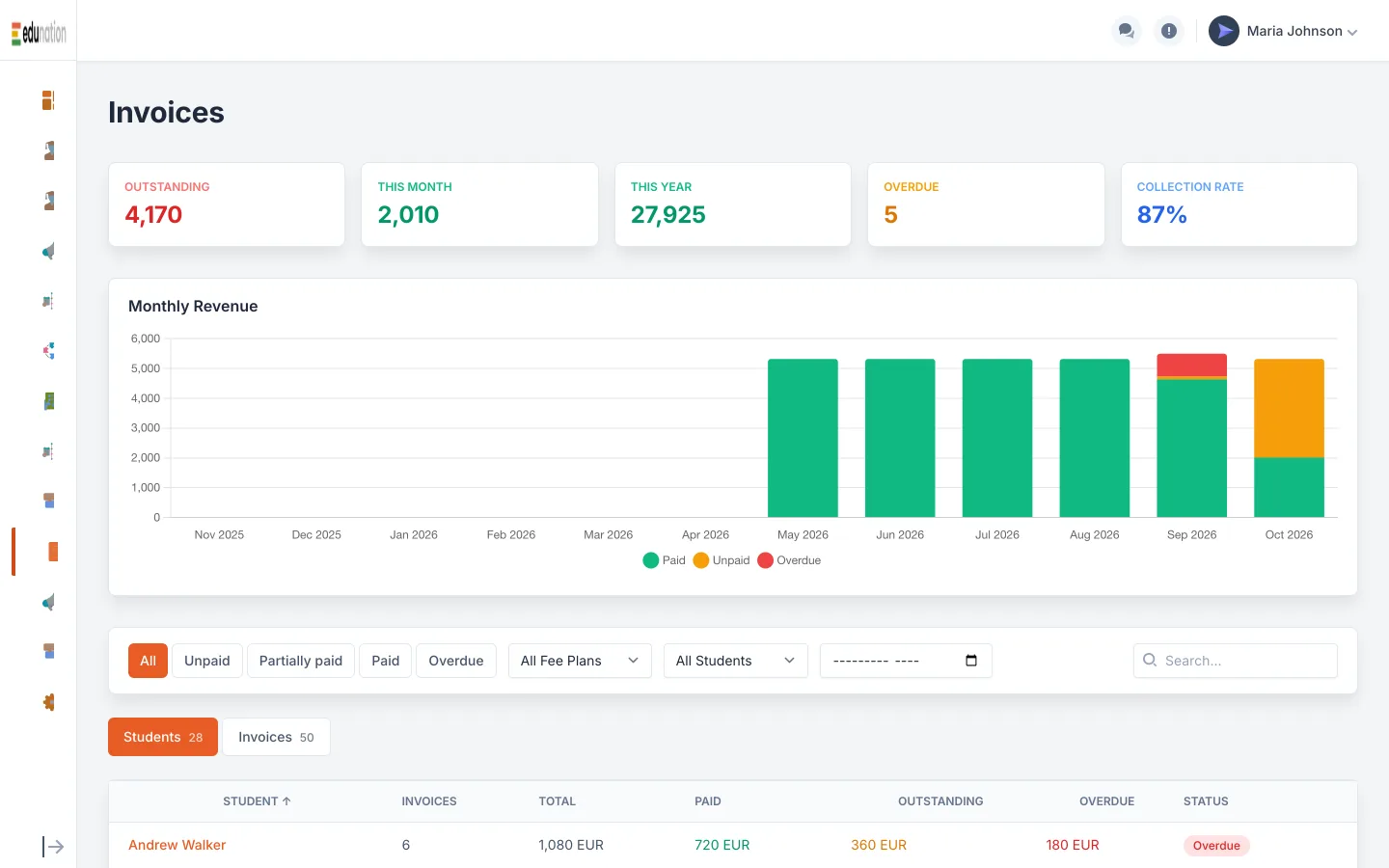
For private schools, tutoring centers and language schools: set up a fee plan once, and Edunation creates the invoices for each billing period, can email parents a branded PDF, reminds them before the due date and flags anything overdue. You record payments as they come in and always see who has paid and who still owes.
Billing is included in every plan from Essential (€29/month), and the 14-day free trial includes it, with no credit card.
What you can do
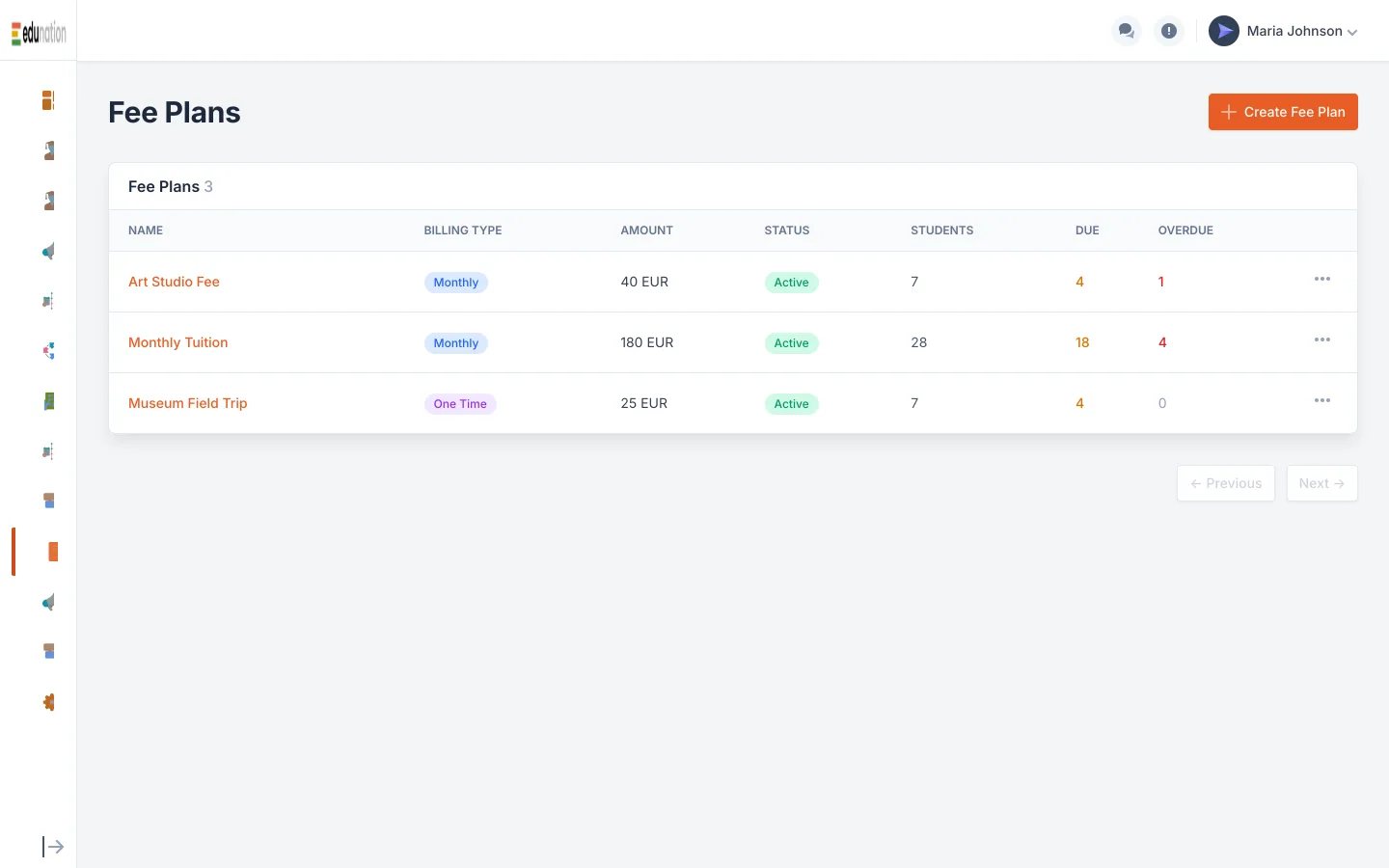
Fee plans
- A fee plan for all students, or only the ones you pick.
- One-time fees (a trip, an exam fee) or recurring fees every 1, 2, 3, 6 or 12 months.
- A different amount for a single month, with the reason recorded.
Invoices
- One-time fees are invoiced as soon as you save the fee plan.
- Recurring fees are invoiced for each billing period (every 1, 2, 3, 6 or 12 months), no later than the 1st of the month the period starts.
- Branded PDF invoices with your logo, bank details, payment instructions and footer.
- Invoices can be emailed to parents as soon as they are created, or sent by you when you choose.
- Adjust the amount of any single invoice and record why.
Reminders and overdue notices
- One reminder a set number of days before the due date (you choose between 1 and 30).
- A notice when an invoice becomes overdue.
- Both appear in the parent app for the student's linked parents. Reminder emails are on by default: unless your school turns them off, each parent with an email address on file also gets them by email.
Payments and balances
- Record payments by hand: cash, bank transfer, or payment methods you add yourself.
- Partial payments: the invoice shows what is left, and reminders ask only for the remaining balance.
- Balances per student, overdue lists, a monthly revenue chart, expenses and billing analytics.
What parents see
Parents see their child's invoices and balances in the parent app. Payment itself happens outside Edunation, in cash or by bank transfer, and your staff record it.
Billing next to the rest of your school
Billing lives in the same app as your students and parents, groups, timetable, attendance and messages. A student's record shows attendance, teacher reports and payments together.
See all features · See pricing · Explore the demo school
Good to know before you start
What Edunation billing does not do today:
- No online or card payments by parents.
- No SMS or WhatsApp reminders.
- No automatic bank matching: staff record each payment.
- No discount rules (sibling, early-bird), scholarships or invoice line items.
- One currency per school.
- No accounting-software integration or data export.
Frequently asked questions
Which plans include billing?
Every plan from Essential (€29/month) includes fee plans, invoices, reminders and invoice PDF customisation. The 14-day free trial is on Essential, so you can try billing with your own students.
Can parents pay online?
No. Parents see invoices and balances in the parent app and pay in cash or by bank transfer. Your staff then record the payment in Edunation.
How do payment reminders work?
Edunation sends one reminder a chosen number of days before the due date, between 1 and 30 days, and a notice when the invoice becomes overdue. Both appear in the parent app for the student's linked parents and, unless the school has turned reminder emails off, also go to each parent by email.
Can different students pay different amounts?
Yes. Create separate fee plans for different students, set a different amount for a single month, or adjust a single invoice and record the reason.
Does it handle partial payments?
Yes. Record any amount against an invoice. The invoice shows the remaining balance, and reminders ask only for what is still owed.
Can we try it before paying?
Yes. Start a 14-day free trial of the Essential plan, with no credit card: start your free trial.